graph8 for Account Executive
Esta página aún no está disponible en tu idioma.
A field guide for AE. Live URLs, real surfaces. Screenshots captured from a showcase tenant with public-company data only.
The six things to use today
01. Run your pipeline — Deals, Companies, Contacts
A real pipeline with auto-generated deal intelligence on every deal. This is the strongest shipped surface in graph8 today.
The Deals shell is the AE’s home. Top sub-nav: My Desk · Companies · Contacts · Deals. The Sales Pipeline selector top-right lets you switch pipelines once multi-pipeline ships; for now you’re working in Sales Pipeline.
Open it at
app.graph8.com/deals/pipeline— deal list with columns: Deal · Company · Docs (e.g. 6/16) · Stage · Value · Owner · Close Date · Last Activityapp.graph8.com/deals/{deal-id}— full deal detail panel
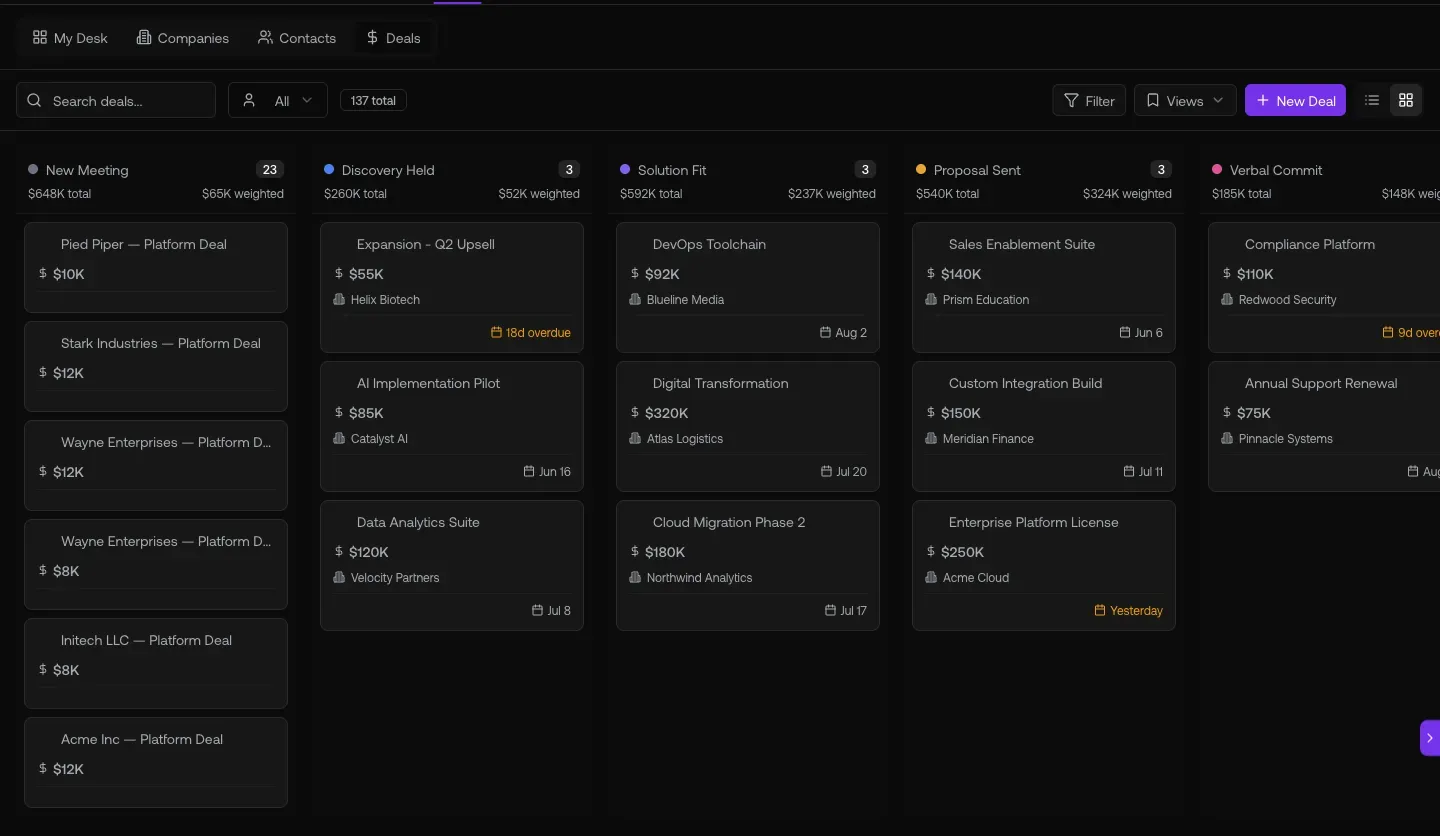
Fig 1.1 — Deal list view at /deals/pipeline. The Docs column (6/16, 17/16, 10/16) tells you which deals have full discovery / ROI / competitive coverage. Top sub-nav: My Desk · Companies · Contacts · Deals.
The killer feature — Deal Intelligence sidebar
Open any deal. The left rail shows two stacks, both auto-generated by graph8 from the deal’s data + conversation history:
- Strategy: Deal Risks · Next Steps · Close Plan
- Analysis: ROI Analysis · Competitive Analysis
Verified on the a sample deal deal — all 5 documents generated (5/5 indicator). Center tabs: Overview · Data · Activity · Memory · Notes · Tasks · Quotes · Contacts · Signals. Right panel: Value · Stage · Pipeline · Close Date · Next Step · Closed Won Reason. Top-right: “Suggest next step” button + Stage Readiness % gauge (100% on a sample deal).
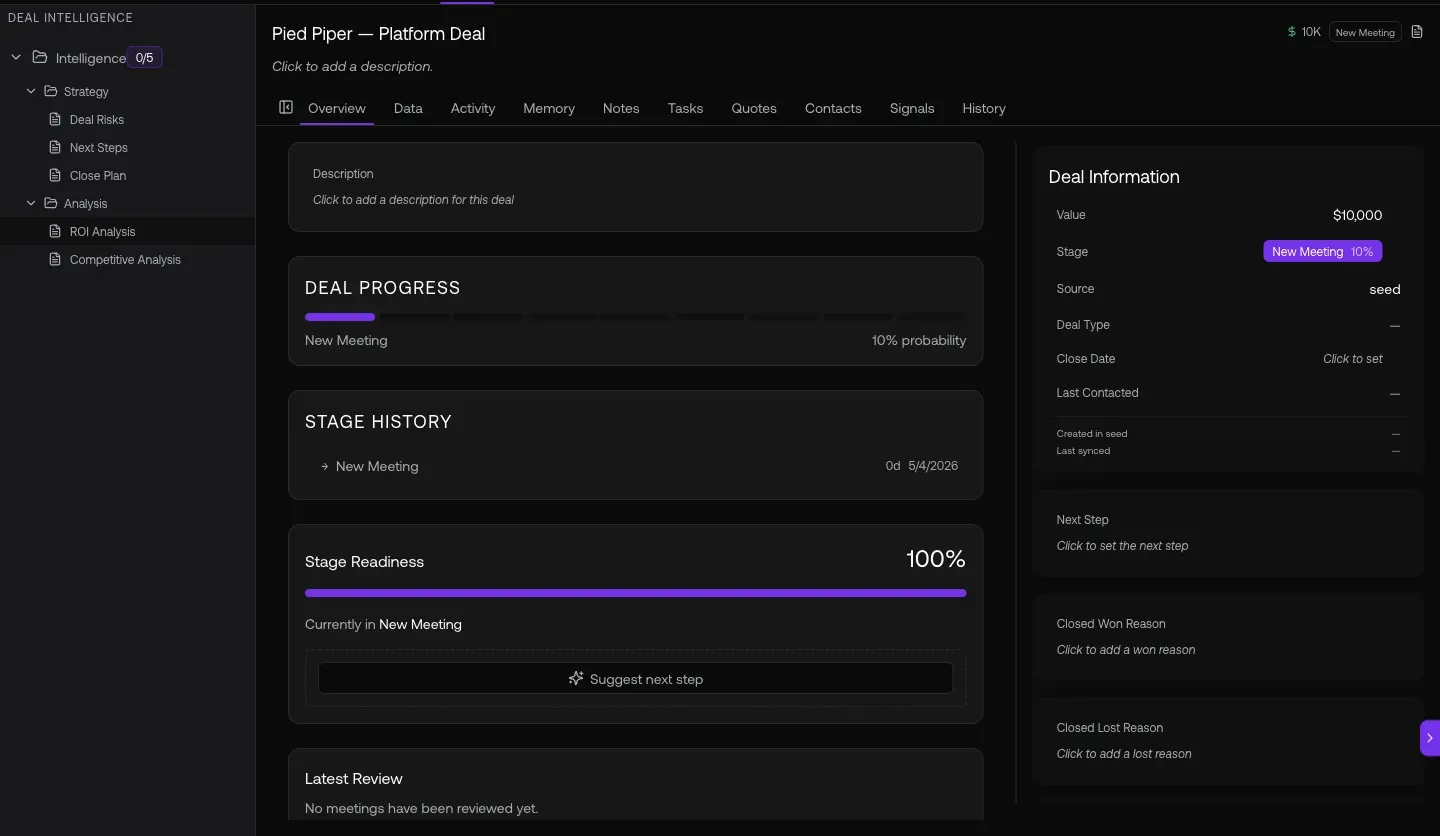
Fig 1.2 — Deal Intelligence sidebar. The “Intelligence 5/5” indicator means graph8 has auto-generated every strategy + analysis doc for this deal.
02. Your morning queue — My Desk
AI-generated decision cards prioritized for the AE. Open it once per morning, work the top of the stack. No dashboards to scan, no manual triage.
Open it at
app.graph8.com/deals/my-desk— pending decision cards + AI-completed log (with 30-min undo window)
My Desk surfaces decision cards from 14 signal sources. Cards are auto-generated as signals fire (Redis streams + per-org pollers) and addressed to the deal or contact owner. Each card has an autonomy lane: autopilot (action fires automatically with 30-min undo), approve (queues for your one-click sign-off), or off.
The four signal sources shipped 2026-05-21 (the most recent additions to the 14):
- No reply — an outbound email / SMS / LinkedIn thread you started has had no reply in 5+ days. Card links the deal + last sequence; one-click pause the sequence from the card.
- Intent signal — a known contact at one of your accounts visited multiple pages on graph8.com in a tight window, returned after a week of silence, or matched a keyword pattern you configured.
- Champion change — the primary contact on a deal got reassigned to a different owner (in CRM or here). Card on every open deal at that company, addressed to the deal rep.
- Enrichment win — graph8 just filled a high-value missing field on one of your contacts (mobile phone, direct email, current title, current company, LinkedIn URL). Now’s the moment to reach out.
The other 10 (older) generators cover: meeting prep · post-meeting follow-up · at-risk / stalled deal · new lead · re-engagement · overdue task · deal stage suggestion · competitive alert · playbook deviation · coaching insight.
Each card carries a summary line (e.g. “No reply for 7d on ‘Re: Acme renewal’”) and the underlying context_data the AI used (deal_value, days_since_outbound, matched_fields, etc.). Click the card to expand; approve, dismiss, or let autopilot handle it.
03. See your book of business + MRR — Customers list
graph8’s revenue overlay joins Stripe billing to the company record. You see ARR, MRR, plan, and subscription status next to firmographics — without leaving the CRM.
Open it at
app.graph8.com/deals/l/customers— paying customers with revenue overlay
Live today on the graph8 tenant: your paying customers. Real MRR data visible per row — examples observed: a paying customer $2.5K · a paying customer $2.5K · a paying customer $8.9K · your account $4K · a paying customer $2.4K · a paying customer $499 (past_due) · a paying customer $1.5K · a paying customer $2.5K.
Columns: Status · MRR · Plan · Subscription · Customer Since · Owner · Stakeholders · Deals · Deal Value. Actions: Move stage · Add company.
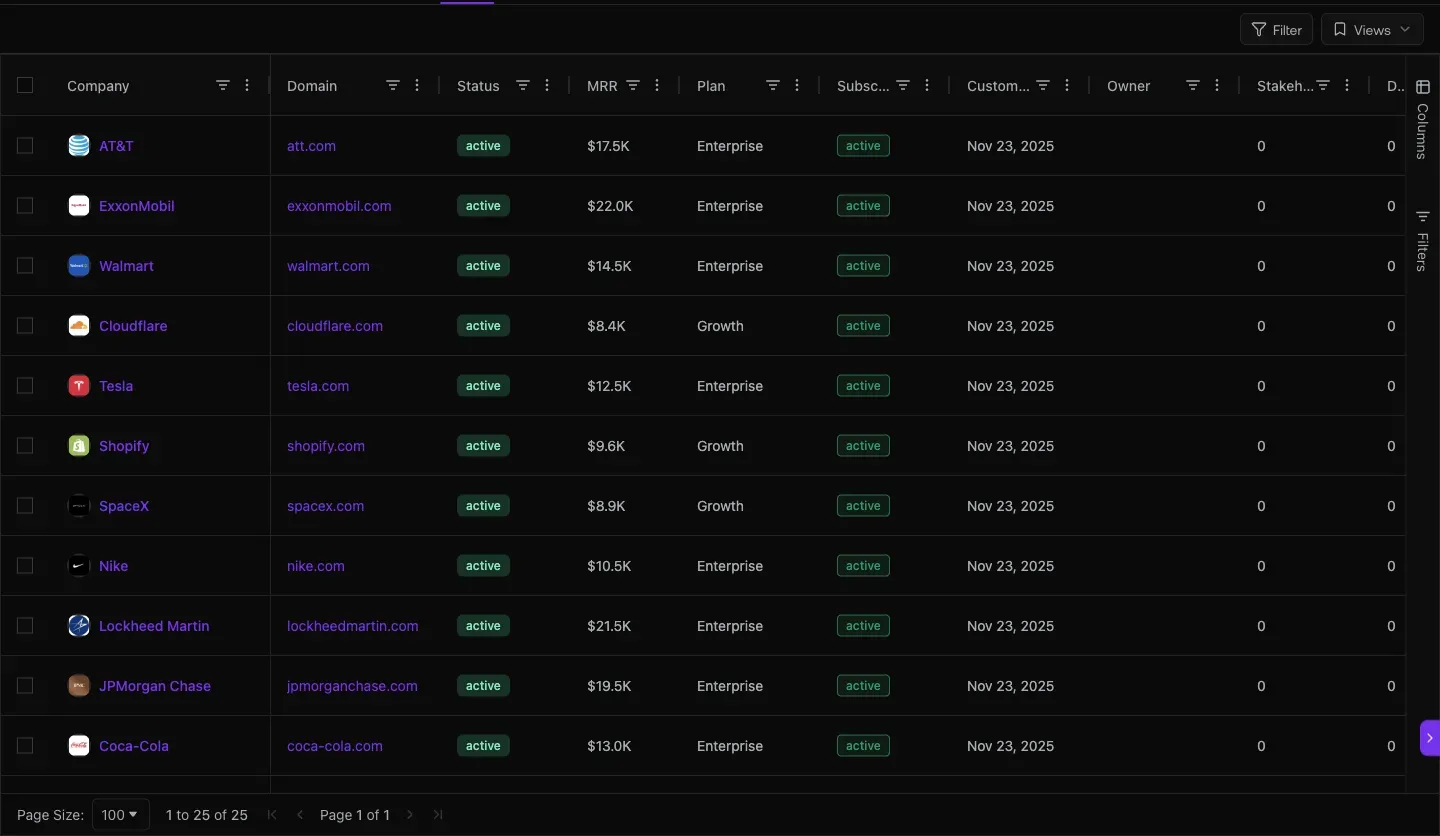
Fig 3.1 — The revenue tab at /deals/l/customers. CBAccount overlay on MashupCompany, Stripe-synced. Status, MRR, plan, subscription, customer-since, owner, stakeholders, deals, deal value all in one row.
04. Send a quote, get it signed, bill it — all in graph8
Quote → eSign → Stripe customer + subscription + invoice + payment link — auto-provisioned the moment the buyer signs. No DocuSign tab. No QBO export.
Open it at
app.graph8.com/deals/quotes— all quotes with status filters (Draft · Sent · Viewed · Accepted · Expired · Declined · Voided)- Or from a deal detail panel → Quotes tab
Live today: 10+ quotes a sample quote through a sample quote, ranging $50–$8,499, Net 30 terms. Multiple Accepted quotes confirm the end-to-end signing path works.
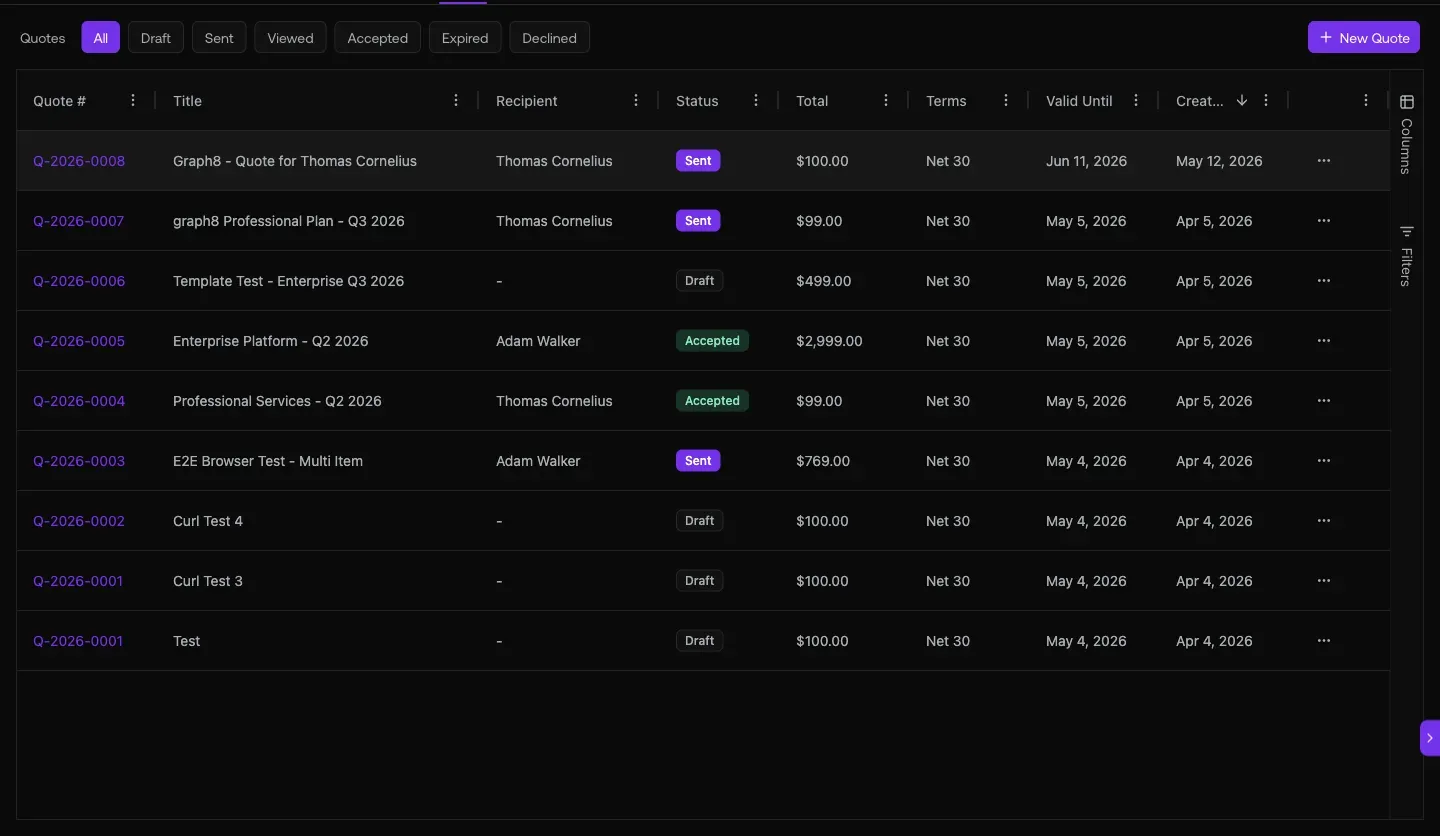
Fig 4.1 — Quotes list. Filter chips up top: All / Draft / Sent / Viewed / Accepted / Expired / Declined / Voided. Viewed-but-not-Signed is your highest-leverage follow-up bucket.
Inside a quote — the lifecycle is visible
Open quote a sample quote (verified live). Status pill: Accepted. Lifecycle timeline shows:
- Sent · May 19, 1:56 PM
- Viewed (×2) · May 19, 1:56 PM
- Signed · May 19, 1:56 PM
Line items: 10,000 Credits · qty 1 · $500.00 · Net 30 · Valid Until Jun 18, 2026. Notes field carries the SOW preamble. Tabs: Overview · Activity · Email. Duplicate button to clone for the next deal.
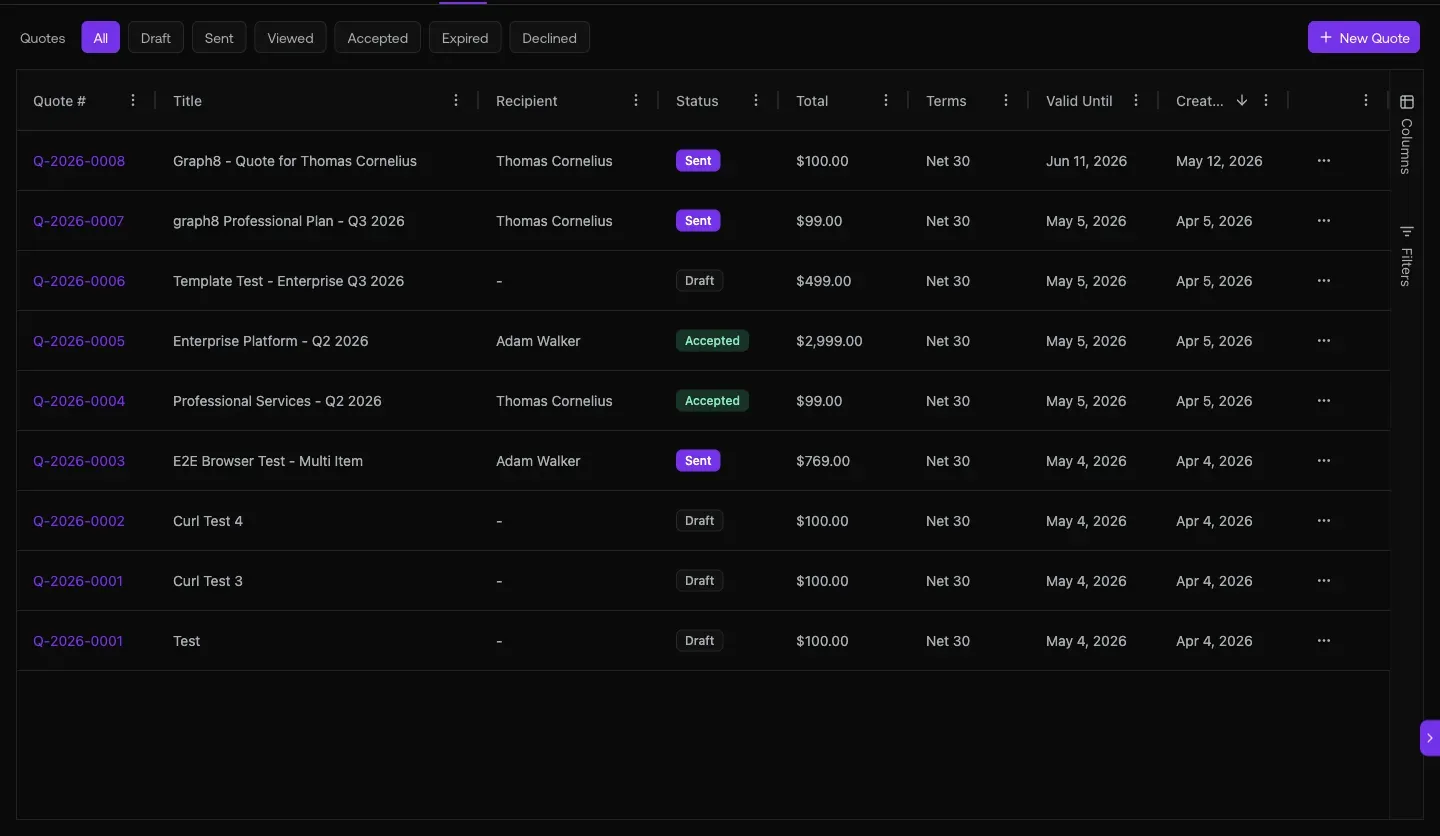
Fig 4.2 — a sample quote right slide-out: Accepted pill, Sent → Viewed ×2 → Signed timeline, $500 / 10,000 Credits line item, Net 30, Valid Until Jun 18 2026, SOW notes. Tabs: Overview · Activity · Email. Duplicate to clone for the next deal.
05. One inbox + a copilot that answers natural-language CRM questions
Every email/SMS/WhatsApp/Slack/iMessage thread against the contact, with the copilot in the sidebar answering questions like “how many deals are in my pipeline and what’s the total value?”.
Open it at
app.graph8.com/inbox/email— focused / other tabs, sentiment tags, sequence attribution headersapp.graph8.com/profile?tab=apps— bridge connection setup (WhatsApp · Slack · Roam · iMessage)- Global copilot — sparkle icon top-right, available on every page
Live today on the inbox: real reply traffic with sentiment tagging — Interested (green), Out of Office (yellow). Sequence attribution headers visible above grouped threads (e.g. GROWTHDEMANDGEN_SAAS_US&UK&AUS&CAN - SEQUENCE, VP/HEAD-SALES_SAAS - SEQUENCE). Thread examples: “built for teams that move fast”, “API-first GTM platform”, “ditch the per-seat pricing”.
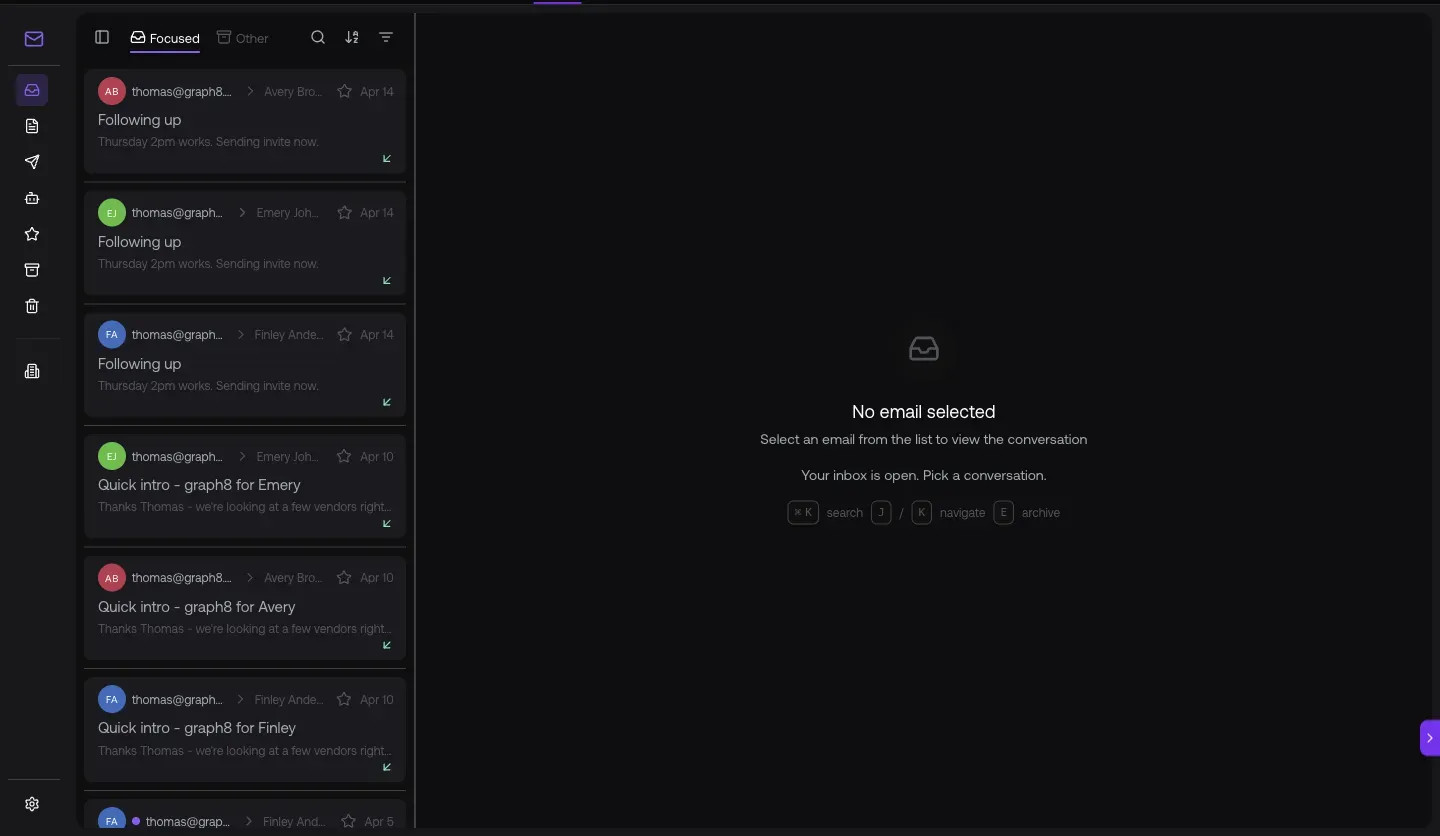
Fig 5.1 — Inbox at /inbox/email. Sentiment chips (Interested green, Out of Office yellow) and sequence-attribution headers (GROWTHDEMANDGEN_SAAS, SALESLEADERS_AI&ML, VP/HEAD-SALES_SAAS) group every reply by the campaign that sourced it.
Copilot — verified live response
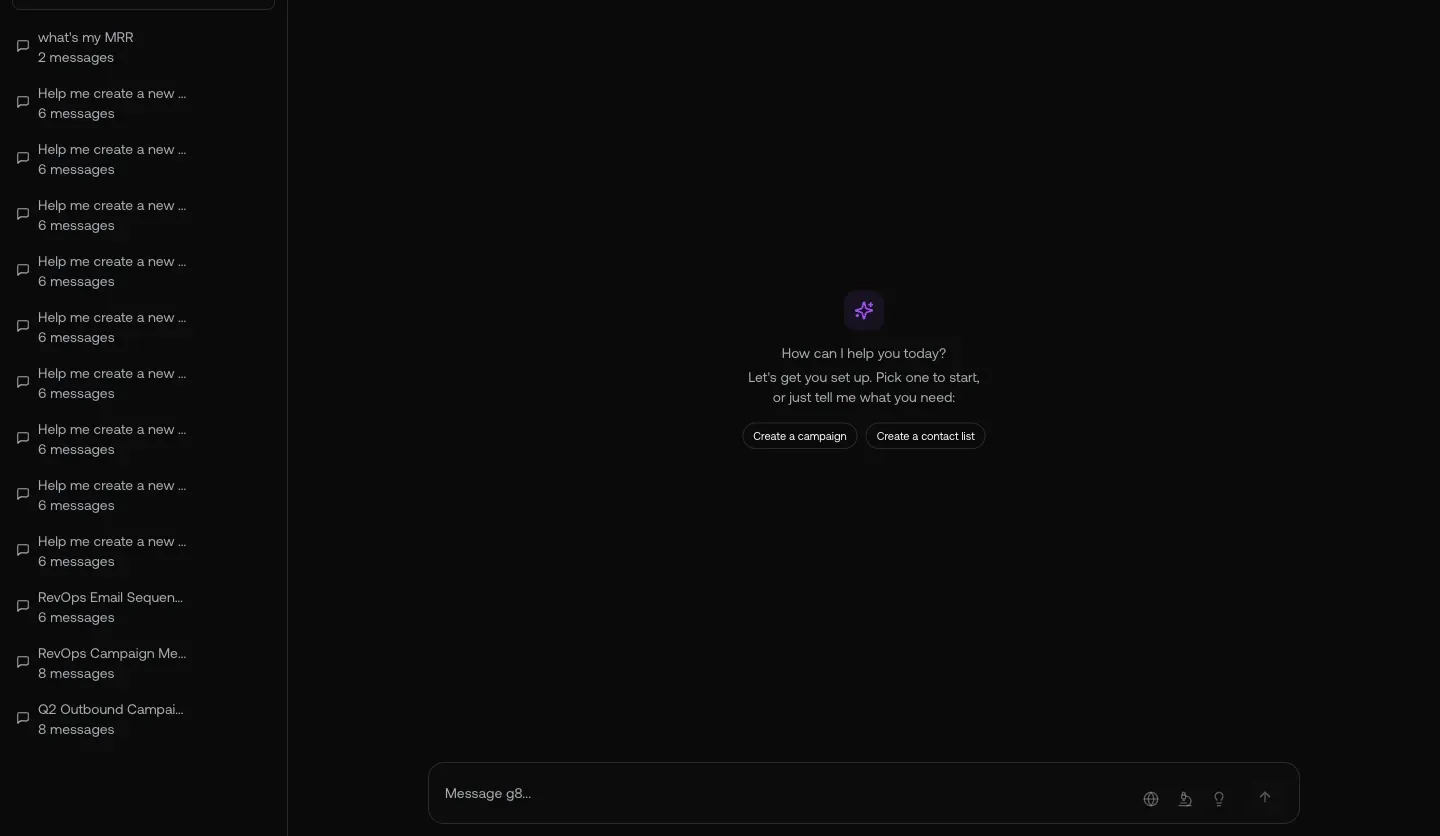
Fig 5.2 — Copilot side panel answering “how many deals are in my pipeline” with a structured Deal · Stage · Amount · Close Date table. Not just prose.
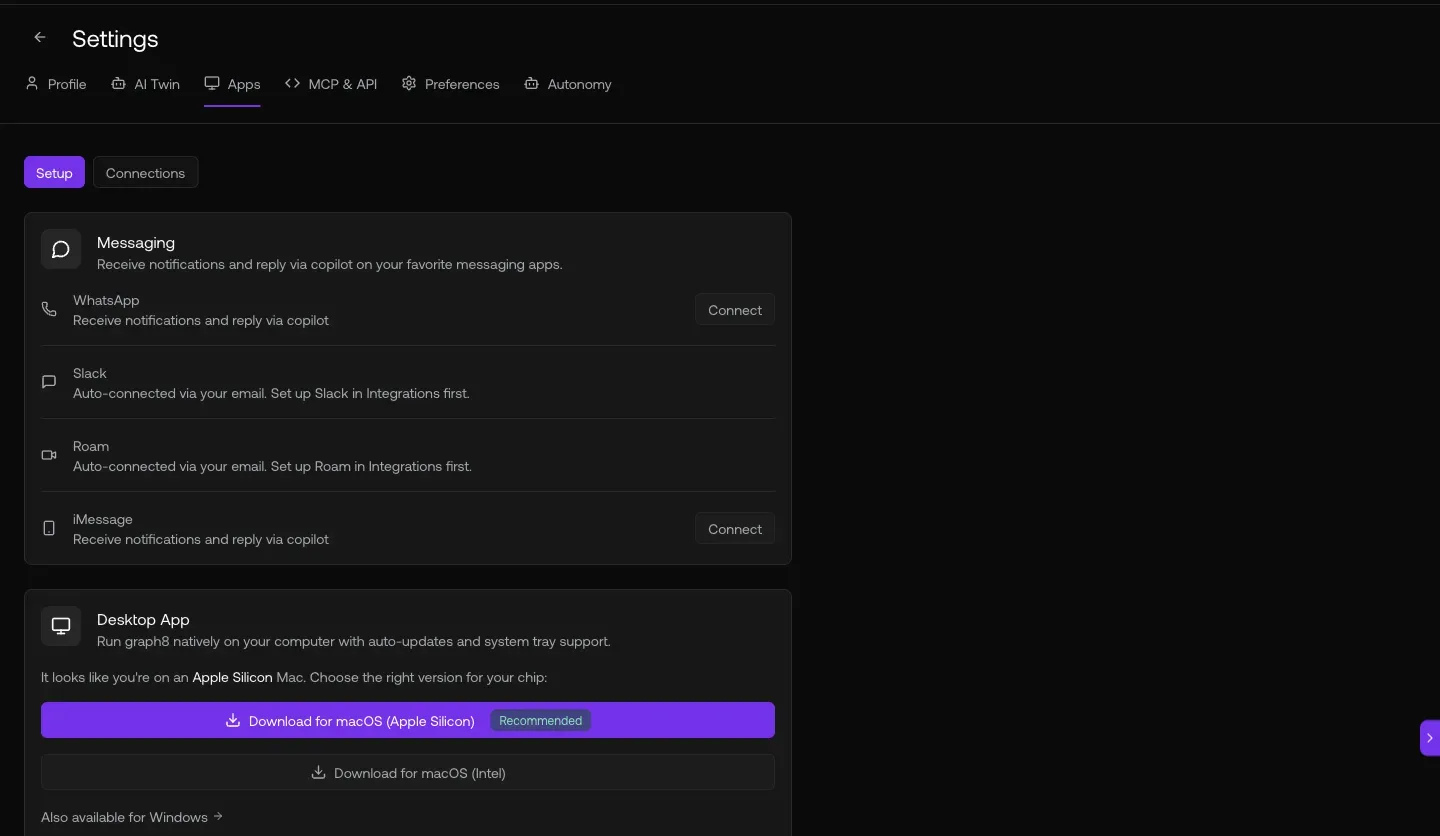
Fig 5.3 — All four bridges connected at /profile?tab=apps. WhatsApp+1 (555) 010-0000 · Slack (thomas) · Roam (a user) · iMessage+1 (555) 010-0000 — Edit / Disconnect buttons per row.
06. See who’s on your site — Visitors, Intent, Analytics
Real-time visitor identification + per-company page-visit timeline + acquisition channel breakdown. Tells the AE which account is heating up and where the pipeline came from.
Open it at
app.graph8.com/visitors?tab=companies— identified company visitors with page detailapp.graph8.com/visitors/companies/{id}— per-company visit timelineapp.graph8.com/analytics/acquisition— channel + source/medium breakdown (Direct, Organic Search, Referral, AI/LLM)
Live today: the identified companies identified visiting graph8 properties. Real B2B logos verified on screen — your account, Target, your account, your account, your account, your account, your account, your account, your account. Pages hit: /blog/, /platform/ai/, /credits/, /trends/synthetic-patient-data/, /pricing, /search.
Fig 6.1 — the identified companies at /visitors?tab=companies. Real B2B logos visible: your account, Target, your account, your account, your account, your account, your account. The Page Path column is the AE signal — anyone hitting /pricing right now is a call worth making.
Fig 6.2 — Per-company visit timeline. Click any company in the list (here: your account, internal id 11617851) to see every page they’ve hit, when, and from which referrer. Heads-up: today the header renders as “Company {id}” rather than the company name — a known cosmetic gap.
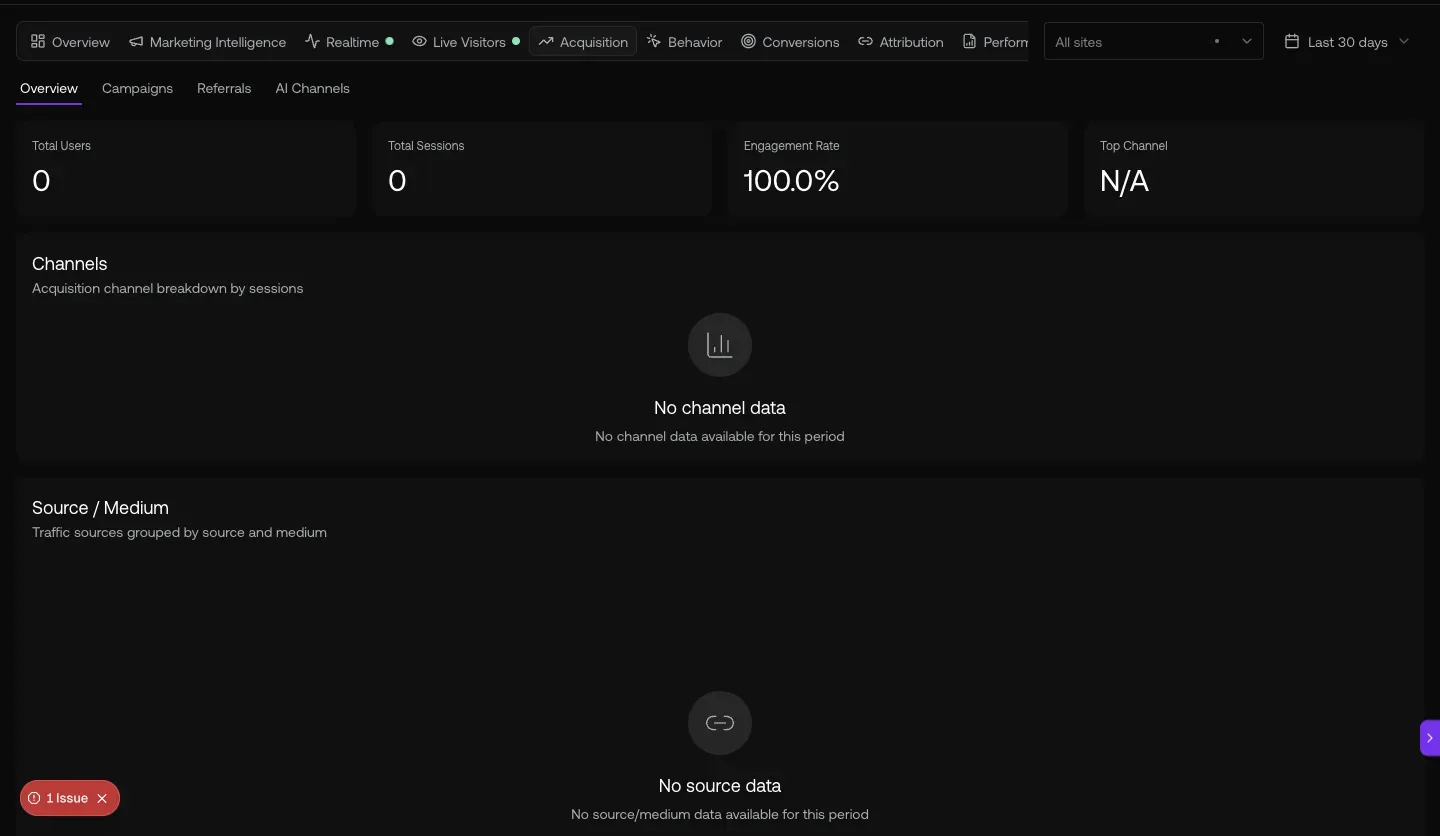
Fig 6.3 — Acquisition channels last 30 days: your monthly users · your monthly sessions · your engagement rate. the channel breakdown. Source/Medium pivot is below the fold.
URL cheat-sheet
| To do this | Go here |
|---|---|
| See your pipeline | /deals/pipeline |
| Open a deal & read Deal Intelligence | /deals/{id} |
| Your morning decision queue | /deals/my-desk |
| See paying customers + MRR | /deals/l/customers |
| All quotes (or filter by status) | /deals/quotes |
| AI Inbox (email + sentiment) | /inbox/email |
| Connect WhatsApp / Slack / Roam / iMessage | /profile?tab=apps |
| Identified site visitors (companies) | /visitors?tab=companies |
| Acquisition channel breakdown | /analytics/acquisition |
| Open Copilot anywhere | Sparkle icon · top-right |
| Search the CRM | Cmd-K |
Heads-up — what’s not in this doc
Generated 2026-05-20 · last updated 2026-05-21 to add Section 02 (My Desk) and the 4 new signal generators that shipped with PR #7621. Verified against
app.graph8.com (org your org) surface by surface