Your Listing & Getting Scored
Esta página aún no está disponible en tu idioma.
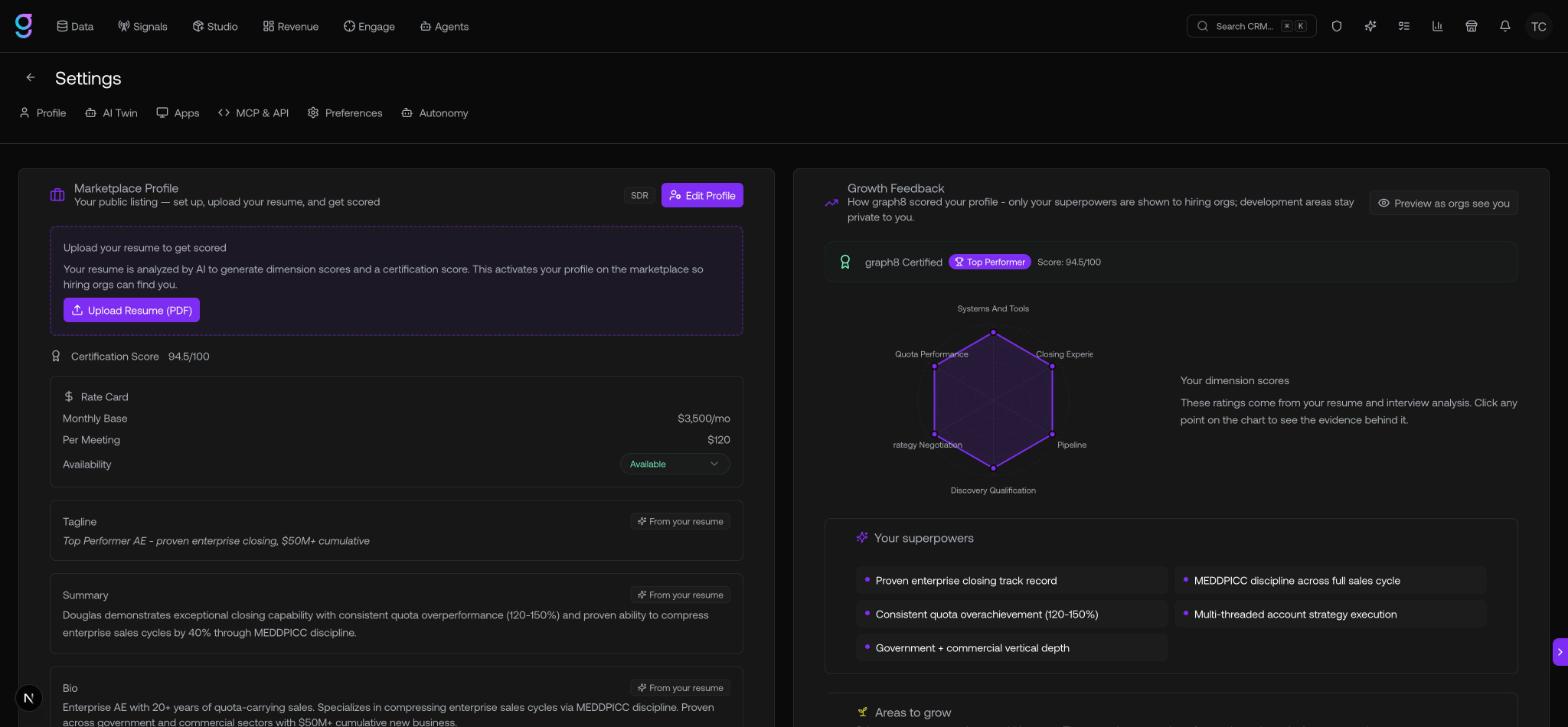
The Marketplace tab in your profile is your Marketplace Profile — your public listing. It’s what hiring clients see: your role, scores, rates, and availability. Setting it up and uploading your resume is what activates your listing.
Get scored
The single most important step is uploading your resume:
- Open the Marketplace tab.
- In the resume section, click Upload Resume (PDF).
Your resume is analyzed by AI to generate dimension scores and a certification score. This activates your profile on the marketplace so hiring orgs can find you.
The certification score and dimension scores produced here are exactly what clients see as your Score: N/100, tier badge, and match score.
Your rate card
Set your asking rates and availability in the Rate Card:
| Field | Notes |
|---|---|
| Monthly Base | Your monthly base rate |
| Per Meeting | Your per-meeting rate |
| Availability | Available, Limited, Fully Booked, or Hidden |
Edit your profile
Use Edit Profile to round out your listing — add a headshot, a short tagline (up to 140 characters), a longer summary (up to 1,200 characters), a video intro (record one directly in your browser, upload a file, or paste a URL), and the industries you’ve worked. A video intro also unlocks the Has video intro filter clients use.
Delete your profile
Delete Profile removes your listing. It requires typing DELETE to confirm.