Suppressions
Esta página aún no está disponible en tu idioma.
Suppressions are contacts you never want to reach. A suppressed contact is excluded from outreach across sequences, the dialer, and LinkedIn, so you don’t accidentally contact competitors, existing customers, or anyone who has opted out.
Go to Data → Suppressions to see who’s suppressed, from where, and why.
How to suppress contacts
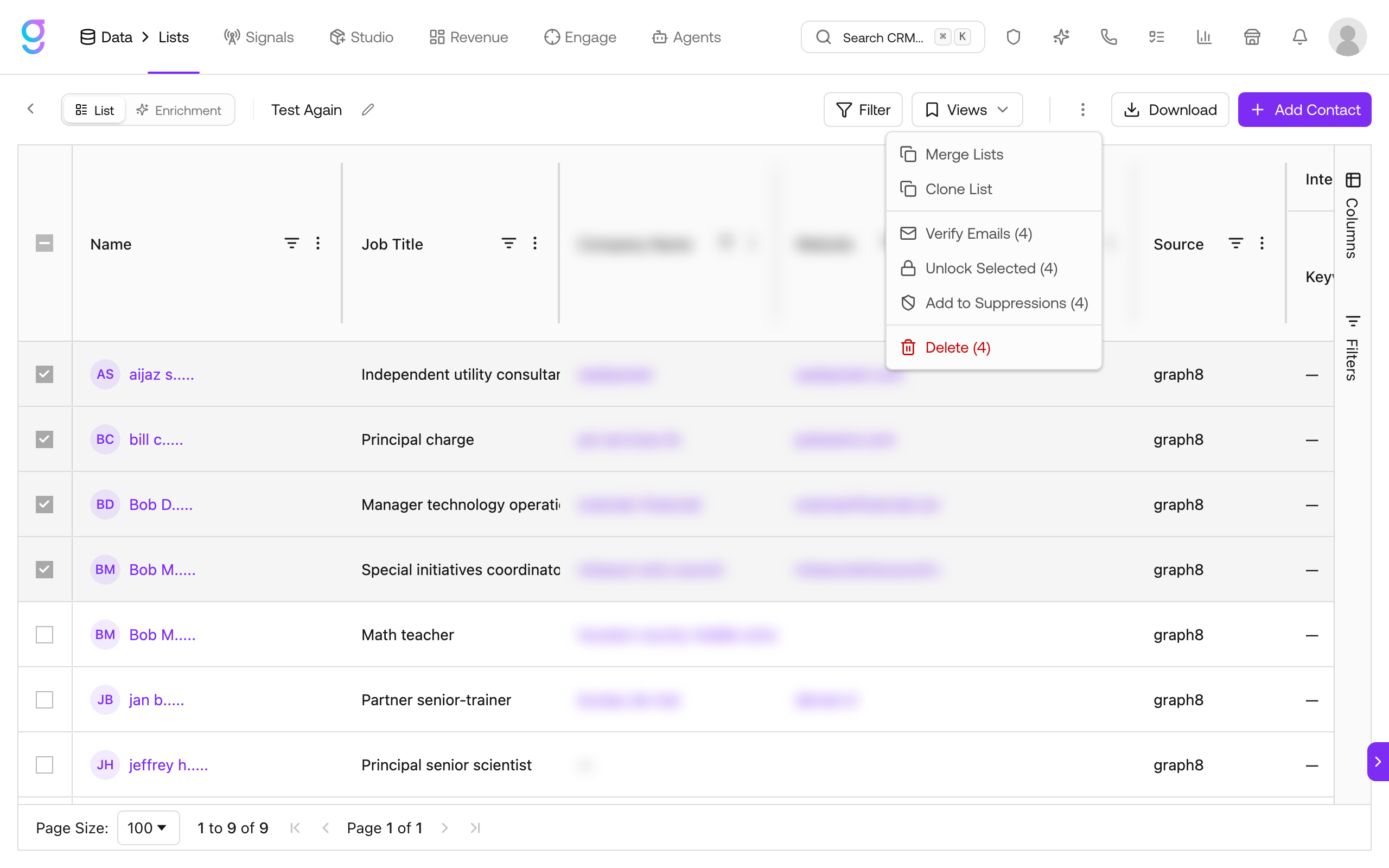
Contacts are added to suppressions from a list. Open any contact list, select the contacts you want to exclude, open the three-dot (⋮) menu, and choose Add to Suppressions.
Pick which channels the suppression applies to:
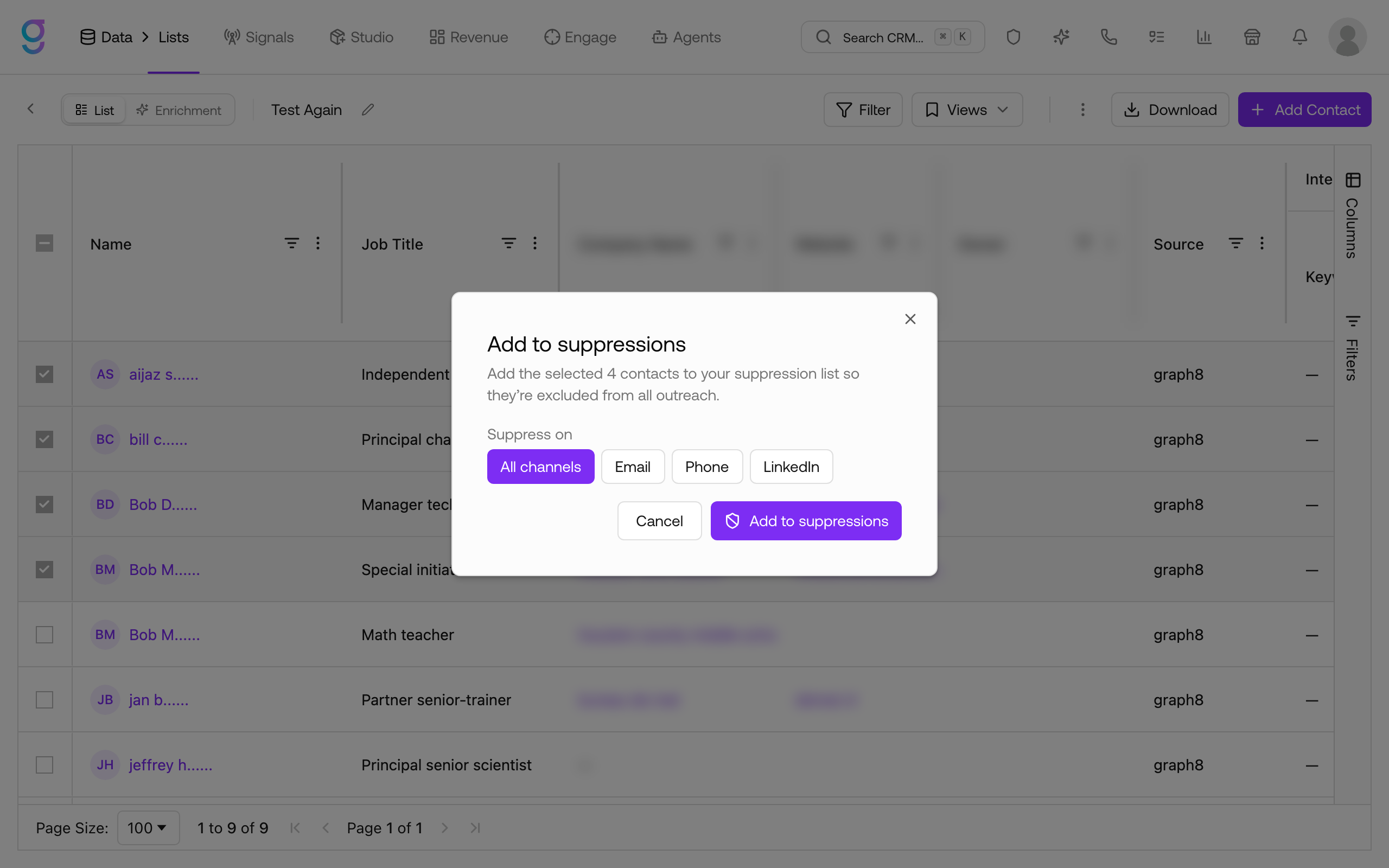
| Option | Effect |
|---|---|
| All channels | Excludes the contacts from every outreach channel |
| Excludes them from email only | |
| Phone | Excludes them from dialer/SMS only |
| Excludes them from LinkedIn outreach only |
Confirm with Add to suppressions. The contacts appear on the Suppressions page immediately.
The Suppressions page
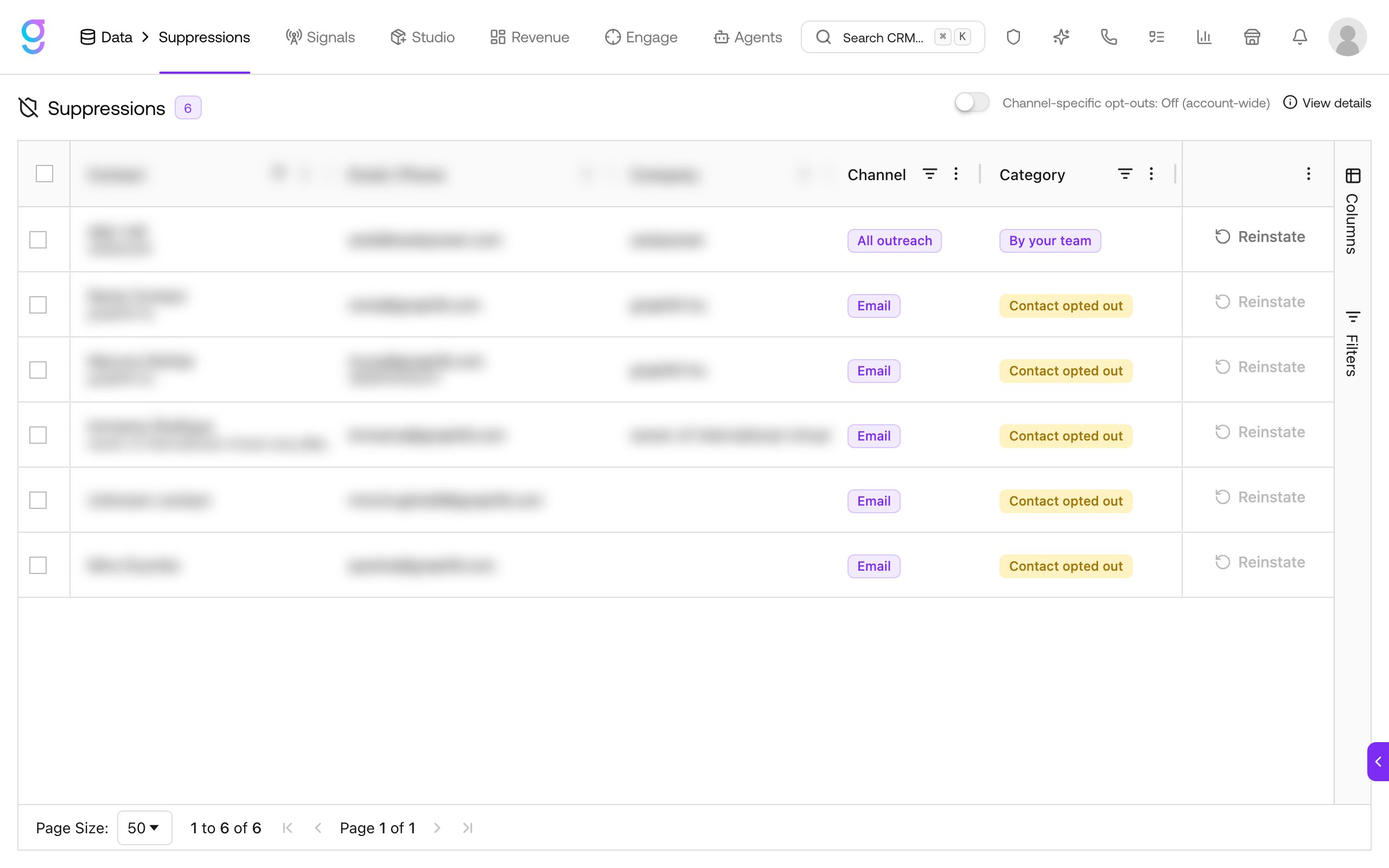
Each row shows:
- Contact and Company
- Email / Phone: the identifiers being suppressed
- Channel: which outreach the suppression covers (e.g. All outreach)
- Category and Source / Origin: why the contact was suppressed and where it came from (for example, a manual bulk add by your team)
- Reinstate: removes the contact from suppressions so they can be contacted again
Account-wide vs channel-specific
The Channel-specific opt-outs toggle at the top of the page controls how suppressions are scoped:
- Off (account-wide): a suppression blocks the contact everywhere
- On (channel-specific): suppressions are tracked per channel, so a contact can be suppressed on one channel but reachable on another
Use View details to manage this behavior under Settings → Channels → Preferences (open Settings from the profile menu in the top-right).
Reinstating a contact
Click Reinstate on any row to remove that contact from suppressions. They become eligible for outreach again on the channels that were suppressed.
Related compliance tools
Suppressions sit alongside the broader compliance controls:
- The global suppression list and Do Not Contact (DNC) list also block outreach and are managed under Settings → Compliance.
- Unsubscribes, hard bounces (when enabled), and spam complaints feed those lists automatically.
See Compliance for the global suppression list, DNC, and unsubscribe handling.
Next Steps
- Managing Lists →: Build the lists you suppress from
- Compliance →: Global suppression list, DNC, and unsubscribe handling
- Sequencer →: Outreach that respects your suppressions